TikTok and Reels,posted from real iPhones.
You send videos or make them in Studio. We run the accounts and the phones post them.
- Real iPhones, two accounts per phone at most
- US SIM cards, posts go out over cellular
- Warm-up in the account's niche before the first post
- Screenshots of every post in your panel
From $79 per account a month.
 3 habits that fixed my mornings
Your video
3 habits that fixed my mornings #routine
Post@yourbrand on TikTok
Proof saved- Queued
- On the phone
- Posting
- Live

Warming

Queued

Published
- Real iPhones, no emulators
- One US SIM per phone
- At most two accounts per iPhone
- Warm-up before the first post
- A screenshot of every step
- Daily caps and posting gaps
- Re-login when a session drops
- Rebuilt on a fresh phone if flagged
- Studio: script to vertical video
- MCP for Claude Code, Cursor and Codex
Every post comes back with proof
You never have to take our word for it. The phone captures each step of each post, and the screenshots land in your panel next to the job, with its status live while it runs.
A post that fails goes back to the queue and retries. A post that would break the account's daily cap or minimum gap is refused when you submit it, not dropped later.
Queued
The job waits for the account's phone and its pacing window.
On the phone
The video is pushed to the iPhone's camera roll over USB.
Publishing
The app is driven like a thumb would: caption typed, post tapped.
Proof
Screenshots of every step show up next to the job in your panel.
Two accounts per iPhone, at most.
Posts go out over cellular, not a data center.
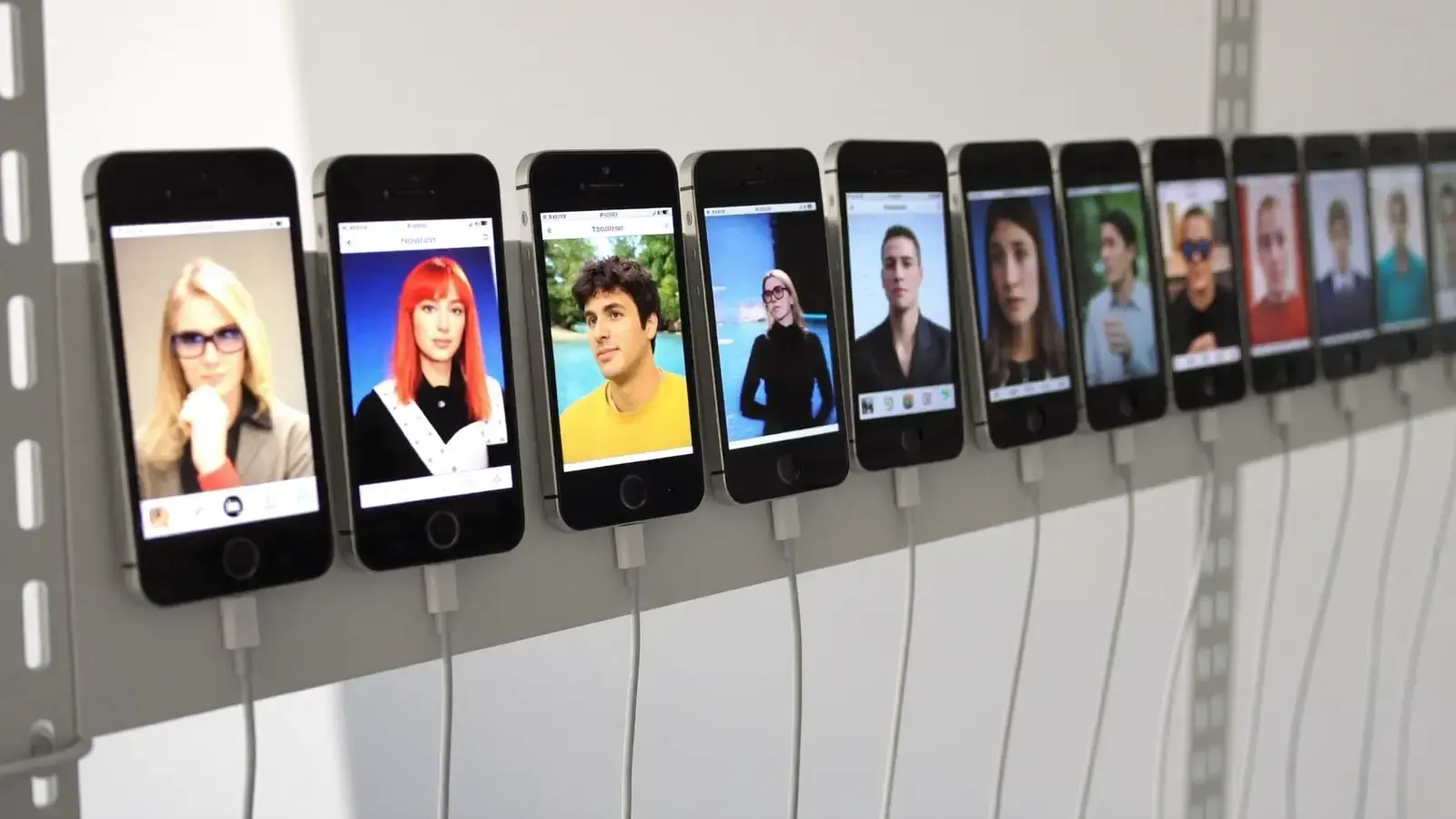
We set up the accounts and keep them running
Tell us the niche and the handle. We put the account on a real iPhone, warm it up and keep it logged in. You never touch a device.
- @yourbrandActive
- @yourbrand.reelsNeeds loginRe-loggingActive
The phone
A real iPhone on a US mobile network. At most two accounts share a device.
The warm-up
A new account browses its niche for a few days before its first post, so it looks lived in.
The upkeep
Re-login when a session drops, and a rebuild on a fresh phone if the platform flags the account.
The record
A screenshot from every step, live job status, and the same controls over the API and MCP.
No videos yet? Studio makes them
Short vertical videos from a script or a topic, with AI frames and clips, published to your accounts without leaving the panel.
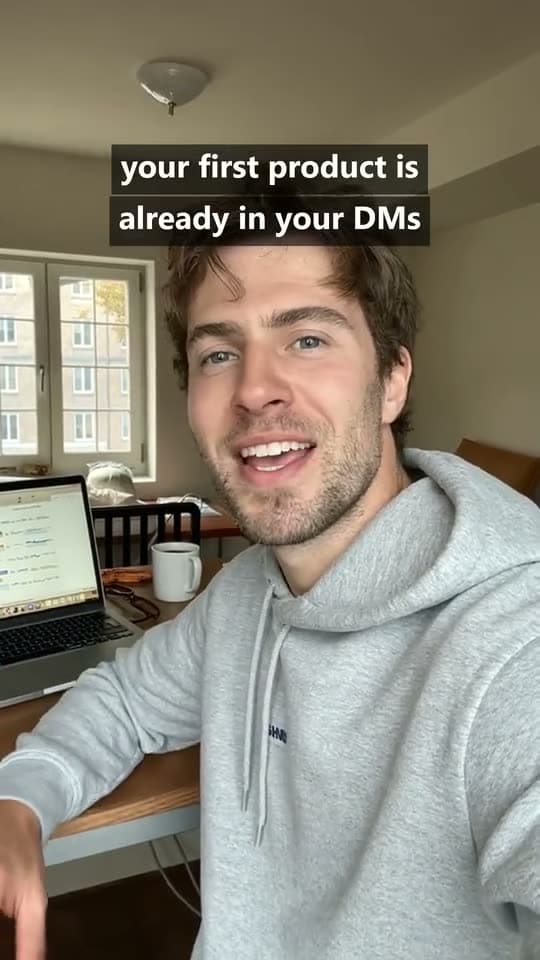


Real Studio output, shown without sound.
- 1
Paste a script or a topic
Studio plans the clips and draws a first frame for each one.
- 2
Generate when it looks right
Credits are taken up front and refunded for any clip that fails.
- 3
Publish to your accounts
The finished video goes to the phones from the same screen.
Three quality tiers
A first frame costs 10 credits. One credit is one cent.
| Standard | Shots up to 30 s | 12 credits / s |
| Pro | Shots up to 15 s | 42 credits / s |
| Cinematic | 4, 6 or 8 s shots | 45 credits / s |
From file to post
Four steps. You do the first two in the panel, the phones do the rest.
- 01
Add your accounts
Give us the handle. We put it on a real iPhone with a US mobile line, two accounts per phone at most, and let it browse its niche until it looks lived in.
- 02
Drop the video, pick the account
Paste a video link or pick one from Studio, write the caption, choose the account. Daily caps and the gap between posts are checked before the job is accepted.
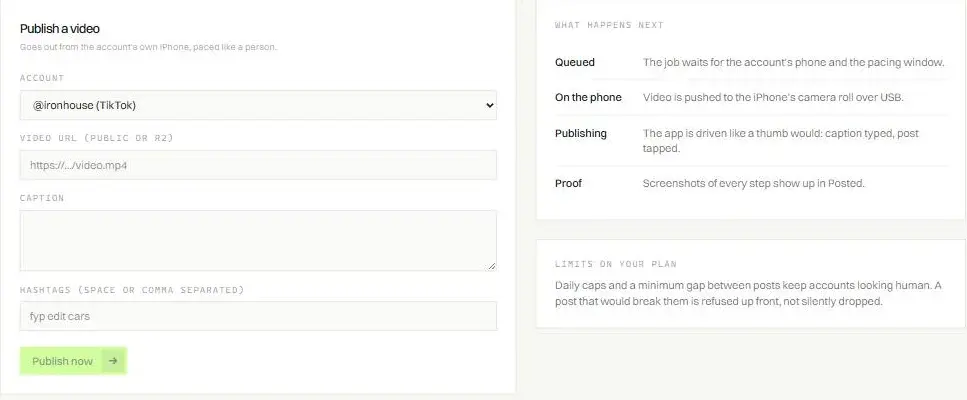
- 03
The phone posts it
The file is pushed to the iPhone over USB and the app is driven like a thumb would: caption typed, post tapped. No API call anywhere in the chain.

- 04
Proof, then numbers
Screenshots from every step land next to the job. Delivery rate per account is on the analytics page; views and engagement per post are next.
What you can check without asking us
The panel shows the same state our operators see, account by account and post by post.
Account state, in plain words
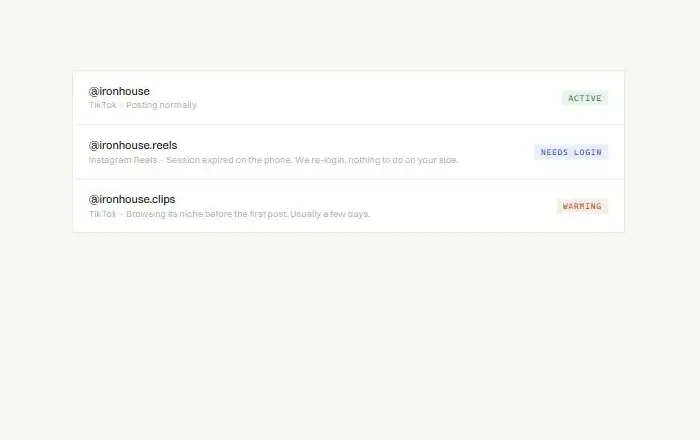
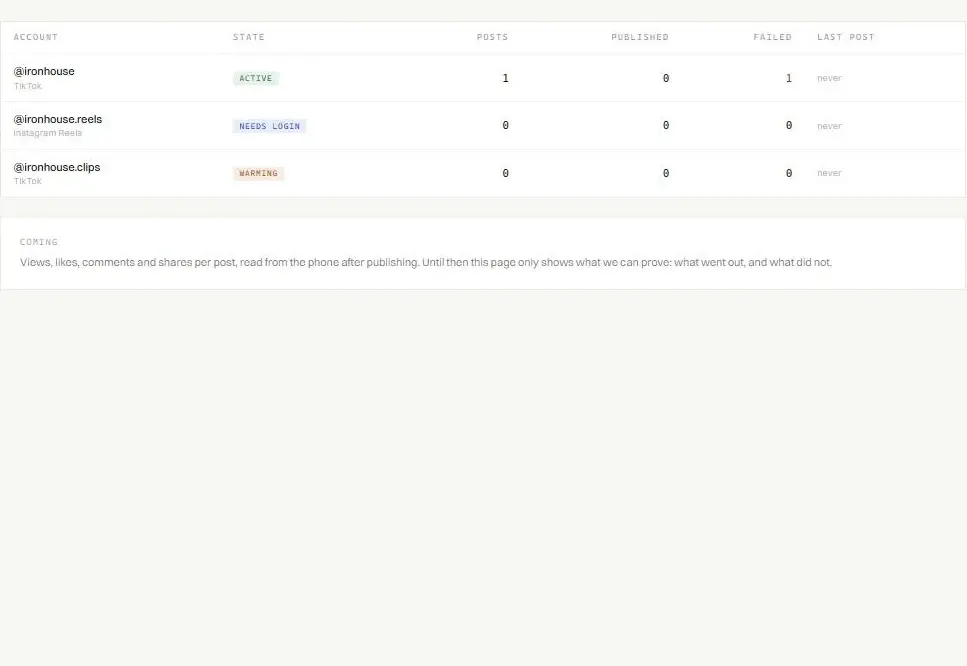
Active, warming or needs login, with what we are doing about it. A dropped session is re-logged from the phone. TikTok and Instagram Reels accounts of one persona can share a phone.
Posts today
Caps checked up front
Daily caps and a minimum gap between posts. A post that would break them is refused when you submit it.
A screenshot for every step
Pushed, captioned, posted, live. Open any post and see what the phone saw.
PostsPublishedFailed, back in queue
Delivery you can audit
Posts, published and failed per account on the analytics page, for the last 7 days and all time. A failed post goes back to the queue, and you see why.
How it fits your business
Six kinds of business, what they post, and how we would set up their accounts.
E-commerce and dropshipping
- What they post
- Product demos, unboxings and UGC-style slideshows. Slides built from your own product photos cost no Studio credits.
- How we set it up
- Two to four accounts, one per product line or buyer niche, each warmed up in that niche before it posts. Start with one account per product and add more where it sells.
$79 a month per channel. Two to four channels: $158 to $316.
distrumi_publish_many
SaaS and apps
- What they post
- Screen recordings of the product doing one job, founder clips, and wall-of-text posts that name the problem. Wall of text on a plain background costs no credits.
- How we set it up
- A founder account plus one account per audience, so each warms up on the feed of the people it is for. Post from your own pipeline over the REST API or MCP.
$79 a month per channel, or $100 for a TikTok and Reels pair.
Local businesses
- What they post
- Behind the counter, before and after, the day's special. Clips filmed on your own phone, sent as they are.
- How we set it up
- One account per location, with the city and the trade in its niche terms, so the warm-up searches for them. Phones are on US mobile lines, so this fits US locations.
$79 a month per location, or $100 with Instagram Reels.
One phone, one persona
Creators and personal brands
- What they post
- Talking-head takes, cut-downs of your long videos and your own clips, posted to both platforms from one queue.
- How we set it up
- A channel pair: the TikTok and Instagram Reels accounts of one persona on the same iPhone, with one proof trail for both.
$100 a month for the pair.
Client A
Client B
Client C
Client D
Agencies
- What they post
- Whatever each client signs off on: their own files, or videos you make in Studio.
- How we set it up
- Every client account in one panel, each with its own state, queue and screenshots you can forward as proof. Push one video to several accounts over MCP, with a result per account.
$79 per channel, $100 per pair, per client account.
Coaches and info products
- What they post
- Tip slideshows Studio writes from a topic, wall-of-text lessons and talking-head explainers.
- How we set it up
- One account per topic you teach, warmed up on that topic's feed before its first post.
$79 a month per channel. Studio from $19 a month.
Pricing
Accounts are billed per channel, per month. Studio is optional and runs on monthly credits.
One channel
TikTok or Instagram Reels
$79/ month
Per account, on its own phone slot.
- A real iPhone on a US mobile line
- Set up on the phone by our operators
- Warm-up in your niche before the first post
- Screenshots of every post
- Re-login, and a rebuild on a fresh phone if flagged
- Panel, REST API and MCP
Channel pair
TikTok and Instagram Reels, one persona
$100/ month$50 per channel
Two separate channels: $158 a month. The pair saves $58.
- Both channels on the same iPhone
- Everything in One channel, for both accounts
- One queue and one proof trail for the persona
The first post comes days after the request
A new account warms up in its niche for a few days before it posts, and the warm-up is capped per day, so it cannot be rushed. An account requested a week from now posts a week later than one requested today.
Phones are physical: at most two accounts share one, and a new phone is tested before it takes client work. Access opens in batches as phones are ready.
Requested
You tell us the niche and the count.
Set up
A free slot on a phone and a US line, set up by our operators.
Warming
Browsing the niche, 2 sessions a day, 45 minutes a day at most.
First post
Your queue starts going out.
Studio credits
For videos made in Studio. Posting your own videos needs no credits.
Creator
$19/ month
Or $190 a year, 2 months free
- 2,000 credits every month
- Up to 166 s of Standard video
- $9.50 per 1,000 credits
Studio
$49/ month
Or $490 a year, 2 months free
- 5,500 credits every month
- Up to 458 s of Standard video
- $8.91 per 1,000 credits
Scale
Lowest price per credit$149/ month
Or $1,490 a year, 2 months free
- 18,000 credits every month
- Up to 1,500 s of Standard video
- $8.28 per 1,000 credits
- Unused plan credits expire at renewal.
- Credits refunded for a failed clip never expire.
- Top-ups: $12 per 1,000 credits, more than any plan.
What each plan makes in a month
One credit is one cent. Save up to $298 a year with yearly billing.
| Item | Creator$19 a month | Studio$49 a month | Scale$149 a month |
|---|---|---|---|
| Credits every month | 2,000 | 5,500 | 18,000 |
| Standard video12 credits a second | 166 s | 458 s | 1,500 s |
| Pro video42 credits a second | 47 s | 130 s | 428 s |
| Cinematic video45 credits a second | 44 s | 122 s | 400 s |
| Generated slide or first frame10 credits each | 200 | 550 | 1,800 |
| Slides from your photos, wall of text on a plain background | No credits | No credits | No credits |
Questions about the price
There is no card checkout yet. Email us your niche and how many accounts you need, and we set up access by email.
Request access- Why does the pair cost less?
- Both channels belong to one persona and share one iPhone and one US line. Two separate channels cost $158 a month; the pair is $100.
- What if an account gets flagged?
- We rebuild it on a fresh phone. The rebuild is part of the monthly price, like re-login when a session drops.
- Do unused credits roll over?
- Plan credits do not: what is left expires at renewal. Credits refunded for a failed clip never expire.
- Does yearly change the credits?
- No. Yearly is billed as 10 months, and the credits still arrive every month.
MCP server and REST API
Add one endpoint with your workspace key to Claude Code, Cursor, Codex or any client that speaks Streamable HTTP. Everything below is also on the REST API.
Which of my accounts are live, and which are still warming?
distrumi_accountsaccounts and their state
Turn this script into a 20 second video.
distrumi_studio_createplans clips and draws frames
Post it on @yourbrand tonight with a caption about the drop.
distrumi_studio_publishqueues it on the phones
Show me the proof screenshots for the last post.
distrumi_jobstatus and screenshots of one post
$ claude mcp add --transport http distrumi https://mcp.distrumi.app/mcp --header "Authorization: Bearer <key>"
The honest questions first
Yes. Automating posts is against the terms of TikTok and Instagram. Posting from real devices on isolated accounts is far harder to detect than API posting, but there is no version of this that the platforms endorse. We are upfront about that.
It is a real risk in this model. We reduce it with at most two accounts per iPhone, a US mobile line per phone, warm-up on fresh accounts and human-paced scheduling. If the platform flags an account, we rebuild it on a fresh phone. We do not promise immunity, and you see every account's state in the panel.
No. Studio is optional. You can post your own videos from a link, or make them in Studio and publish from the same screen. Accounts and Studio are billed separately.
TikTok and Instagram Reels today. YouTube Shorts is next.
We run the phones, so you never touch one. Each account lives on a dedicated device in our racks, and you manage posting, warm-up and proof from the panel, the API or MCP.
Access opens in batches. Email us with your niche and how many accounts you need, and we will set them up and start the warm-up.